

If your business already subscribes to Microsoft 365, you may be paying for tools that could improve productivity, strengthen cybersecurity, simplify collaboration, and reduce software costs—without even realizing they’re included in your subscription.
In our experience working with businesses throughout South Florida, this is one of the most common technology challenges we encounter.
Organizations invest in Microsoft 365 because they need professional email or Microsoft Office, but after the initial setup, very few take the time to explore everything the platform offers. Employees continue working the same way they always have, even though Microsoft 365 includes dozens of capabilities designed to modernize the way businesses operate.
The result is a significant gap between what companies pay for and the value they actually receive.
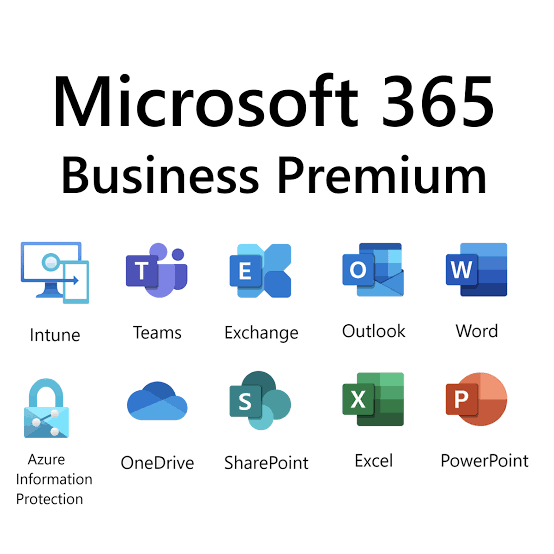
Microsoft 365 Is Often Treated Like Microsoft Office
Many businesses still think of Microsoft 365 as simply:
- Outlook for email
- Word for documents
- Excel for spreadsheets
- PowerPoint for presentations
Those applications are certainly important, but they represent only a small portion of the platform.
It’s similar to buying a modern smartphone and only using it to make phone calls.
The device is capable of navigation, banking, photography, messaging, scheduling, video conferencing, health tracking, and hundreds of other functions—but if you never explore those capabilities, you won’t realize its full value.
Microsoft 365 works the same way.
Why Does This Happen?
After helping organizations across industries, we’ve found that most businesses fall into one or more of these situations.
1. “Our Microsoft 365 was set up years ago.”
Many Microsoft 365 environments were configured several years ago and have received very little strategic attention since then.
As Microsoft continues adding new capabilities, the business keeps operating exactly as it did before.
2. Employees Were Never Trained
Technology is only valuable when people know how to use it.
Many employees receive login credentials on their first day but never receive formal training on Teams, SharePoint, OneDrive, Planner, Forms, or the collaboration features that could save them hours each week.
3. Nobody Owns Microsoft 365
This is surprisingly common.
The Office Manager handles users.
Accounting purchases licenses.
A third-party IT company occasionally resets passwords.
Nobody is responsible for continuously improving the environment.
Without ownership, Microsoft 365 becomes reactive rather than strategic.
4. Security Was Never Fully Configured
Many organizations believe Microsoft 365 is automatically secure.
While Microsoft provides a strong security foundation, many critical protections—such as Multi-Factor Authentication (MFA), Conditional Access, device compliance policies, email protection, and data governance—must be configured to meet the organization’s needs.
5. Businesses Keep Buying Separate Software
One of the highest hidden costs we see is software duplication.
Companies often pay for separate tools for:
- File sharing
- Project management
- Team chat
- Online forms
- Appointment scheduling
- Workflow automation
- Video meetings
In many cases, Microsoft 365 already includes comparable capabilities. That doesn’t mean every third-party tool should be replaced, but it does mean businesses should regularly evaluate whether they’re paying twice for functionality they already own.
Signs You May Not Be Getting Full Value from Microsoft 365
Ask yourself the following questions:
- Do employees still save important files only on their desktop?
- Are documents emailed back and forth instead of shared collaboratively?
- Is your company still relying on an on-premises file server?
- Do employees use personal cloud storage accounts for work?
- Are Teams channels mostly inactive?
- Have you never reviewed your Microsoft 365 licenses?
- Is Multi-Factor Authentication optional rather than enforced?
- Are former employees’ accounts still active?
- Are you paying for software that duplicates Microsoft 365 features?
- Have you never explored Microsoft Copilot or AI capabilities?
If you answered “yes” to several of these questions, there is a strong possibility your organization is not maximizing its Microsoft 365 investment.
The Opportunity
The good news is that most improvements do not require purchasing additional software.
Instead, they involve making better use of the tools you already own.
A properly planned Microsoft 365 environment can help your business:
- Reduce unnecessary software subscriptions.
- Improve employee collaboration.
- Strengthen cybersecurity.
- Simplify remote work.
- Streamline onboarding and offboarding.
- Improve document management.
- Prepare for AI-powered productivity.
- Create a more efficient and secure workplace.
For many businesses, the return on investment comes not from buying more technology but from using existing technology more effectively.
How Orinoco 360 Helps Businesses Unlock More Value
At Orinoco 360, we begin every Microsoft 365 engagement by understanding how your business operates—not by recommending new licenses.
Our goal is to identify opportunities to help you get more from the investment you’ve already made.
That often includes:
- Reviewing your current Microsoft 365 licensing.
- Assessing your security posture.
- Identifying underused Microsoft 365 capabilities.
- Eliminating redundant software where appropriate.
- Improving collaboration with Teams and SharePoint.
- Securing identities and devices with Entra ID and Intune.
- Preparing your organization for Microsoft Copilot and AI.
Technology should support your business objectives, not create additional complexity.