

Microsoft 365 is not simply a subscription to Microsoft Office; this is one of the biggest misconceptions.
In reality, Microsoft 365 is a business technology platform that combines productivity applications, communication tools, cloud storage, cybersecurity, identity management, device management, automation, and artificial intelligence into a single ecosystem.
Many organizations purchase Microsoft 365 because they need professional email or Office applications. Over time, they discover that their subscription also includes dozens of tools capable of improving collaboration, protecting business data, supporting remote work, and reducing the need for additional software.
The challenge is knowing what’s available—and more importantly—understanding how each service benefits your business.
The following overview explains the most important Microsoft 365 applications in plain business language.
Productivity Applications
These are the applications most people already recognize. They remain the foundation of Microsoft 365 and are used by millions of businesses every day.
Microsoft Outlook
Outlook is much more than an email application.
It serves as your business communication hub by bringing together email, calendars, contacts, meeting invitations, and task management in a single interface.
Businesses use Outlook to:
- Send and receive professional business email
- Schedule meetings
- Share calendars
- Reserve conference rooms and resources
- Manage contacts
- Coordinate with Microsoft Teams
- Access email securely from computers, tablets, and smartphones
For many employees, Outlook is the application they use more than any other throughout the workday.
Microsoft Word
Word continues to be the standard for creating professional documents.
Businesses rely on Word to produce:
- Contracts
- Employee handbooks
- Policies and procedures
- Proposals
- Letters
- Reports
- Marketing materials
- Standard operating procedures
Because Word files are stored in Microsoft 365, multiple employees can collaborate on the same document simultaneously without emailing different versions back and forth.
Microsoft Excel
Excel remains one of the most powerful business applications available.
Organizations use Excel to:
- Analyze financial information
- Create budgets
- Track inventory
- Build forecasting models
- Monitor business performance
- Generate reports
- Organize operational data
Modern Microsoft 365 versions of Excel also include AI-assisted analysis, cloud collaboration, and integration with Power BI and Microsoft Copilot.
Microsoft PowerPoint
PowerPoint helps organizations communicate ideas visually.
Common business uses include:
- Sales presentations
- Executive reports
- Employee training
- Client proposals
- Marketing presentations
- Investor presentations
With Microsoft 365, multiple employees can edit presentations together while storing a single version securely in the cloud.
Microsoft OneNote
OneNote functions as a digital notebook for individuals and teams.
Businesses use OneNote to organize:
- Meeting notes
- Customer information
- Project documentation
- Training materials
- Brainstorming sessions
- Research
Because notebooks synchronize automatically across devices, employees always have access to the latest information.
Communication and Collaboration
One of Microsoft’s greatest strengths is helping employees work together regardless of where they are located.
Microsoft Teams
Microsoft Teams has become the collaboration center for many organizations.
Although many businesses initially adopted Teams for video meetings, its capabilities extend much further.
Teams allows employees to:
- Chat instantly with coworkers
- Conduct video meetings
- Make voice calls
- Share files
- Collaborate on documents
- Create department workspaces
- Organize projects
- Connect third-party business applications
- Host webinars and virtual events
Instead of relying on multiple communication platforms, Teams brings conversations, meetings, files, and collaboration into a single workspace.
SharePoint Online
SharePoint is often described as a cloud-based file server, but it is much more than that.
Think of SharePoint as your company’s secure digital workplace.
Businesses use SharePoint to:
- Store company documents
- Organize departmental information
- Build internal intranet sites
- Manage document permissions
- Maintain version history
- Publish company news
- Create knowledge bases
- Collaborate on projects
Rather than asking employees to search through shared drives, SharePoint makes business information easier to organize, protect, and find.
OneDrive for Business
While SharePoint stores information for the entire organization, OneDrive is designed for each employee.
Employees use OneDrive to:
- Save personal work files
- Synchronize files across devices
- Recover previous document versions
- Access files remotely
- Securely share documents with coworkers
Because OneDrive automatically synchronizes files with Microsoft’s cloud, employees can continue working even if their laptop is lost, damaged, or replaced.
Microsoft Loop
Microsoft Loop introduces a new way for teams to collaborate.
Instead of sending static documents, Loop creates live collaborative workspaces where information updates in real time across Microsoft applications.
It is especially useful for:
- Brainstorming sessions
- Project planning
- Meeting notes
- Collaborative task lists
- Cross-functional teams
As businesses adopt hybrid work environments, Loop helps keep everyone working from the same information.
Microsoft Whiteboard
Whiteboard provides a shared digital canvas where teams can sketch ideas together during meetings.
Organizations commonly use Whiteboard for:
- Planning sessions
- Process mapping
- Project kickoffs
- Strategy meetings
- Team workshops
It replaces the traditional conference room whiteboard while allowing remote employees to participate equally.
Security and Identity
Cybersecurity has become one of the primary reasons organizations invest in Microsoft 365 Business Premium and Enterprise licensing.
Microsoft includes several powerful security services that help protect users, devices, and company data.
Microsoft Defender
Microsoft Defender helps detect and respond to modern cyber threats.
Depending on your subscription, Defender can protect against:
- Ransomware
- Malware
- Phishing attacks
- Business email compromise
- Malicious websites
- Dangerous attachments
- Suspicious user behavior
Rather than simply blocking viruses, Microsoft Defender continuously monitors your environment for signs of compromise.
Microsoft Entra ID
Every employee needs a secure digital identity.
Microsoft Entra ID manages:
- User accounts
- Authentication
- Password policies
- Single Sign-On (SSO)
- Multi-Factor Authentication
- Conditional Access
- Identity protection
Instead of creating separate usernames and passwords for every business application, employees can securely access authorized resources using one managed identity.
Multi-Factor Authentication (MFA)
Passwords alone are no longer enough.
Multi-Factor Authentication requires users to verify their identity using a second factor, such as a mobile app, security key, or biometric authentication.
For many businesses, enabling MFA is one of the simplest and most effective ways to reduce the risk of unauthorized account access.
Conditional Access
Conditional Access allows businesses to define when users are allowed to access company resources.
Examples include:
- Blocking sign-ins from unexpected countries
- Requiring MFA outside the office
- Restricting access from unmanaged devices
- Preventing access from high-risk sign-ins
These policies help organizations strengthen security without making everyday work unnecessarily difficult.
Device Management
As businesses support remote and hybrid work, managing company devices has become increasingly important.
Microsoft Intune
Microsoft Intune provides centralized management for company devices.
IT administrators can:
- Configure new computers automatically
- Install applications remotely
- Enforce security policies
- Encrypt hard drives
- Monitor compliance
- Remove company information from lost devices
- Support employees without requiring in-person visits
For growing businesses, Intune significantly reduces the time required to deploy and maintain computers.
Business Productivity
Microsoft 365 also includes several applications designed to simplify everyday business operations.
Microsoft Planner
Planner helps teams organize work using shared task boards.
Managers can assign responsibilities, establish due dates, monitor progress, and improve accountability across departments.
Microsoft Forms
Forms allows organizations to quickly create:
- Customer surveys
- Employee feedback forms
- Event registrations
- Training assessments
- Safety inspections
- Internal requests
Responses automatically flow into Microsoft Excel, making reporting and analysis much easier.
Microsoft Bookings
Businesses that schedule appointments can simplify the process using Microsoft Bookings.
Customers can reserve available time slots online while appointments automatically appear on employee Outlook calendars.
Microsoft Lists
Microsoft Lists helps organizations track structured information without requiring a complex database.
Common uses include:
- Equipment inventories
- Vendor lists
- Customer requests
- Maintenance schedules
- Project tracking
- Compliance checklists
Power Automate
Many business processes involve repetitive manual work.
Power Automate allows organizations to automate workflows such as:
- Employee onboarding
- Approval requests
- Invoice notifications
- Document routing
- Reminder emails
- Data synchronization
- File organization
Automation reduces administrative work while improving consistency and accuracy.
Artificial Intelligence
Artificial intelligence is rapidly changing how businesses operate, and Microsoft has integrated AI directly into Microsoft 365.
Microsoft Copilot
Microsoft Copilot is Microsoft’s AI assistant for business.
Integrated into familiar applications such as Outlook, Word, Excel, Teams, and PowerPoint, Copilot helps employees work faster by generating drafts, summarizing meetings, analyzing information, creating presentations, and answering questions based on organizational data.
However, successful AI adoption begins long before Copilot is enabled.
Businesses should first ensure that:
- Documents are properly organized.
- User permissions are accurate.
- Sensitive information is protected.
- SharePoint is well structured.
- Security policies are enforced.
- Identity management is properly configured.
Preparing your Microsoft 365 environment before deploying AI helps ensure Copilot delivers useful, secure, and reliable results.
Which Microsoft 365 Plan Is Right for Your Business?
Microsoft offers several business and enterprise plans, each designed for different organizational needs.
While the specific features vary, most businesses choose from:
| Plan | Best For |
|---|---|
| Microsoft 365 Business Basic | Businesses that primarily need cloud email, Teams, and web-based Office applications. |
| Microsoft 365 Business Standard | Organizations that want desktop Office applications along with collaboration services. |
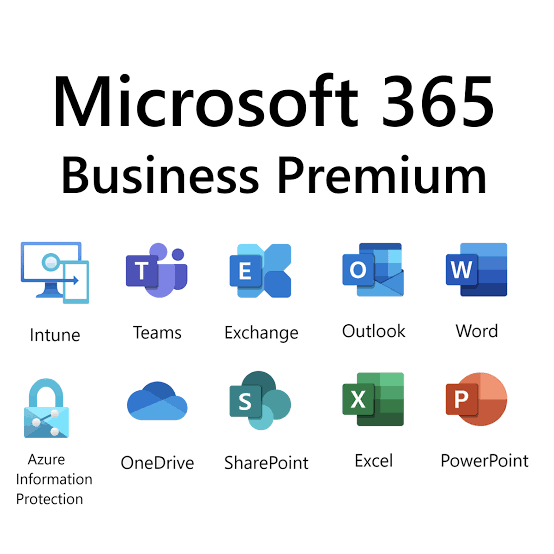
| Microsoft 365 Business Premium | Businesses that require advanced security, device management with Intune, and enhanced protection with Microsoft Defender. |
| Microsoft 365 E3 | Mid-sized and enterprise organizations needing expanded compliance, security, and administrative capabilities. |
| Microsoft 365 E5 | Organizations with advanced cybersecurity, compliance, analytics, and voice requirements. |
Choosing the right plan isn’t simply about features—it’s about aligning your licensing with your business goals. Paying for capabilities you don’t use can increase costs, while selecting a plan that lacks critical security features can expose your organization to unnecessary risk.
The Bottom Line
Microsoft 365 is much more than an email platform or a subscription to Office applications.
It is a connected business ecosystem that brings together communication, collaboration, cybersecurity, identity management, device management, automation, and artificial intelligence.
The greatest value comes not from using one application exceptionally well, but from using the entire platform strategically.
Organizations that understand how these services work together often improve productivity, strengthen security, simplify IT management, and reduce unnecessary software costs.
In the next section, we’ll explore one of the biggest opportunities for businesses today: why many organizations use only a small percentage of Microsoft 365’s capabilities—and how to unlock the full return on your investment.